Organization Management
Global Admin functions
These functions are available only to Global Admin users. If you are not a Global Admin, you can skip this section.
Use Organization Management to maintain your organization's contact information, display name, and password settings in SOC Manager®.
Open Organization Management
From the Global Administration menu, select Organization Management. The Org Settings screen opens.
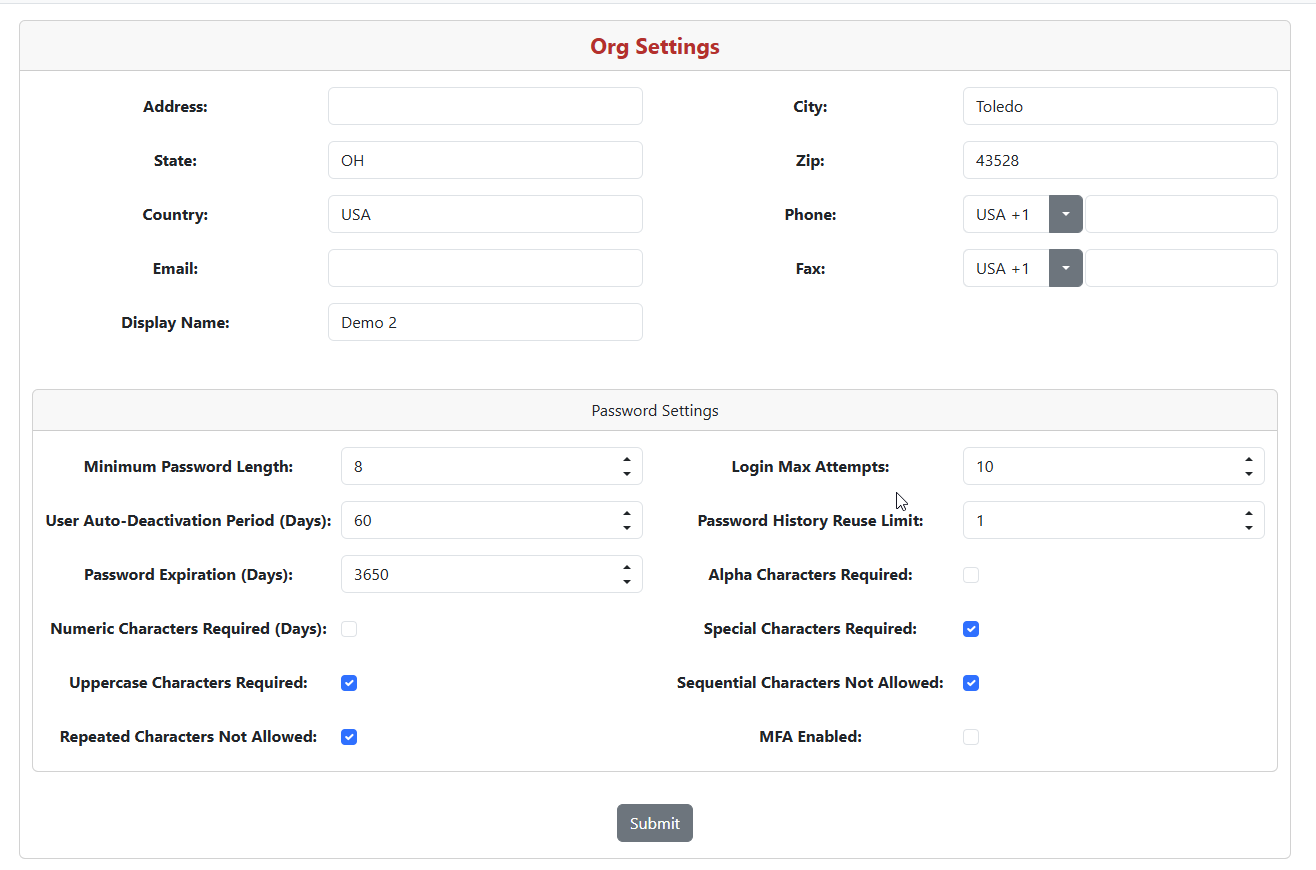
Organization Details
Review or update the following fields.
| Field | Description |
|---|---|
| Address | The organization's street address. |
| City | The organization's city. |
| State | The organization's state or region. |
| Zip | The organization's ZIP or postal code. |
| Country | The organization's country. |
| Phone | The organization's phone number. Select the appropriate country dialing code. |
| The organization's email address. | |
| Fax | The organization's fax number. Select the appropriate country dialing code. |
| Display Name | The name used to identify the organization in SOC Manager. |
Password Settings
The Password Settings panel contains the following account and password controls. Numeric fields specify lengths, limits, or periods. Checkboxes enable or disable individual requirements.
Length, Limits, and Periods
| Setting | Description |
|---|---|
| Minimum Password Length | The minimum number of characters required in a password. |
| Login Max Attempts | The maximum number of permitted login attempts. |
| User Auto-Deactivation Period (Days) | The period, in days, used for automatic user deactivation. |
| Password History Reuse Limit | Controls reuse of previously used passwords. |
| Password Expiration (Days) | The password expiration period, in days. |
Password Requirements
Select the checkboxes for the requirements you want to enable.
| Setting | Description |
|---|---|
| Alpha Characters Required | Requires letters in passwords. |
| Numeric Characters Required (Days) | Requires numbers in passwords. Despite the displayed label, this is a checkbox, not a period in days. |
| Special Characters Required | Requires special characters in passwords. |
| Uppercase Characters Required | Requires uppercase letters in passwords. |
| Sequential Characters Not Allowed | Disallows sequential characters in passwords. |
| Repeated Characters Not Allowed | Disallows repeated characters in passwords. |
Multi-Factor Authentication
The MFA Enabled checkbox controls whether multi-factor authentication is enabled for the organization.
Save Changes
- Review the organization details and password settings.
- Make the required changes.
- Select Submit to save.
- If a validation message appears, review the indicated fields, correct the entries, and submit again.